A calmer terminal for everyday work.
Flow is a Mac terminal built on Ghostty. Give each project its own workspace, run your agents side by side, and get notified when one needs you.
brew install --cask thetinygoat/tap/flowtermmacOS 14 or later.
Workspaces
Every project in its own workspace.
Each workspace keeps its own tabs and splits. Quit Flow and open it again, and every workspace is where you left it.
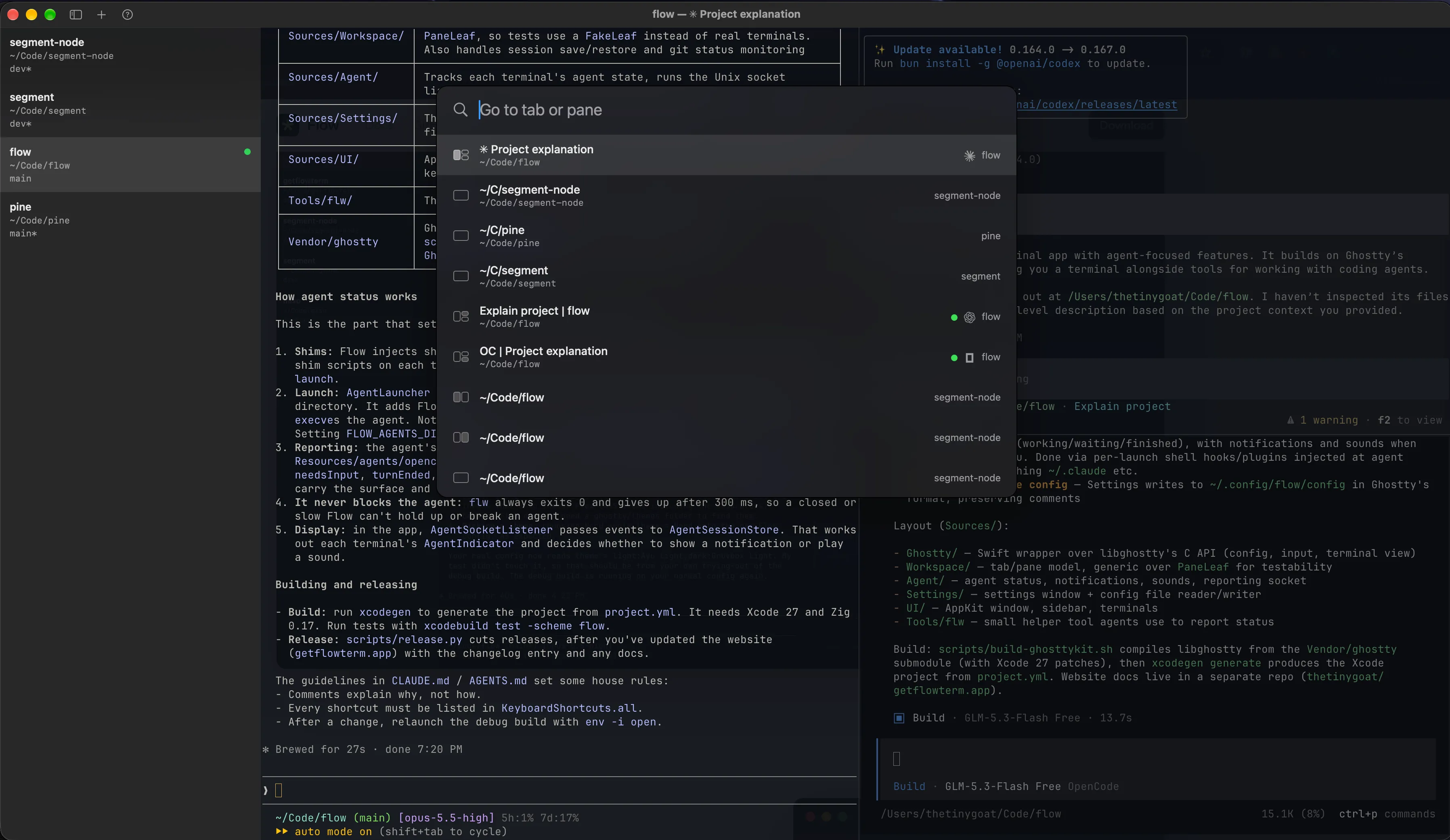
Command palette
Go to any tab or pane.
Press ⌘P to search every tab and pane by workspace, folder or agent, or ⌘I to go straight to your agents. The window shows each place as you move through the list.
Agents
Know when an agent needs you.
Run Claude Code, Codex and OpenCode in any terminal. A dot shows which agents are working, waiting for you or done, and a notification tells you when one needs you.
- Working
- Needs you
- Done
Questions
- Is Flow free?
- Yes. Flow is free and open source under the MIT license.
- Do I need Ghostty installed?
- No. Flow includes Ghostty's terminal. If you use Ghostty, Flow copies your config the first time it opens.
- How is Flow different from Ghostty?
- Flow uses the same terminal and adds a sidebar of workspaces, one per project, and shows what your agents are doing.
- Which Macs does it run on?
- Apple silicon and Intel Macs running macOS 14 or later.
- Does Flow change my agent config?
- No. Flow adds its hooks each time an agent starts, and leaves your Claude Code, Codex and OpenCode settings alone.
Get Flow for your Mac.
macOS 14 or later, on Apple silicon and Intel Macs.